What's New in Agile Toolbox: Emoji Reactions, Card Groups, Vote Budgets and a Consensus Check
In short
Agile Toolbox for Jira's September 2026 release reworks both ceremonies. Retrospectives gain emoji reactions, vote budgets, a facilitator-controlled voting phase, card groups that keep every card, an action column that creates Jira issues in one pass, and a timer. Planning Poker gains a choice of estimation method, a Unanimous / Close / Split label after every reveal, a round timer and Kanban board support. The app now runs as a native Forge app with dark mode.
On this page
- Retrospectives
- Emoji reactions
- Vote budgets and a voting phase
- Card groups replace merging
- From the board to the backlog in one pass
- A timer, and a better list
- Planning Poker
- Choose how the estimate is calculated
- A consensus label on every reveal
- Timer, Kanban and search
- Under the hood: Forge and dark mode
- Where to go next
This is the biggest release of Agile Toolbox for Jira since the app launched. Two things happened at once: the app moved to Atlassian’s Forge platform in August, and September brought the features teams have been asking for in both ceremonies. Here is what changed and why.
Retrospectives
Emoji reactions
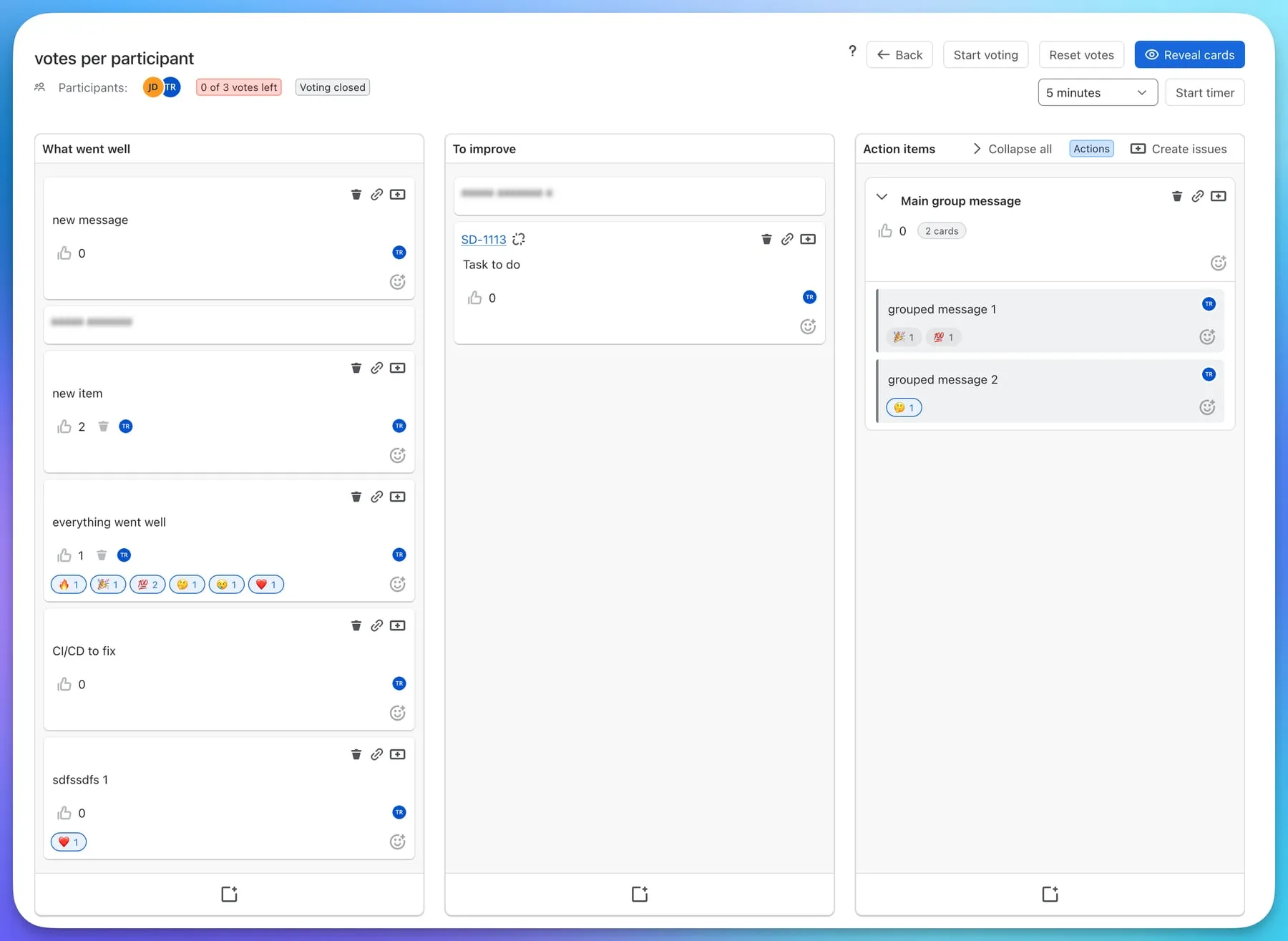
Votes are scarce on purpose. Reactions are not. Every card now has a smiley that opens six reactions: 🔥 Fire, 🎉 Celebrate, 💯 Exactly this, 🤔 Not sure, 😢 This hurt and ❤️ Love it. They appear as chips under the card, hovering a chip shows who reacted, and they never come out of the vote budget.
The point is to let people say “I felt that too” during the reading phase without spending a vote they will want later. If your team prefers a board that is strictly about votes, reactions can be switched off per retrospective.
Vote budgets and a voting phase
Dot voting only works when the dots are limited. You can now set votes per participant on each board, decide whether several votes may land on one card, and everyone sees “2 of 3 votes left” in the header. Reset votes clears the board if you want a second round.
For teams that want to keep reading and voting apart, a new setting makes votes possible only between Start voting and Stop voting. Leave it off and voting stays open the whole time, as before.
Card groups replace merging
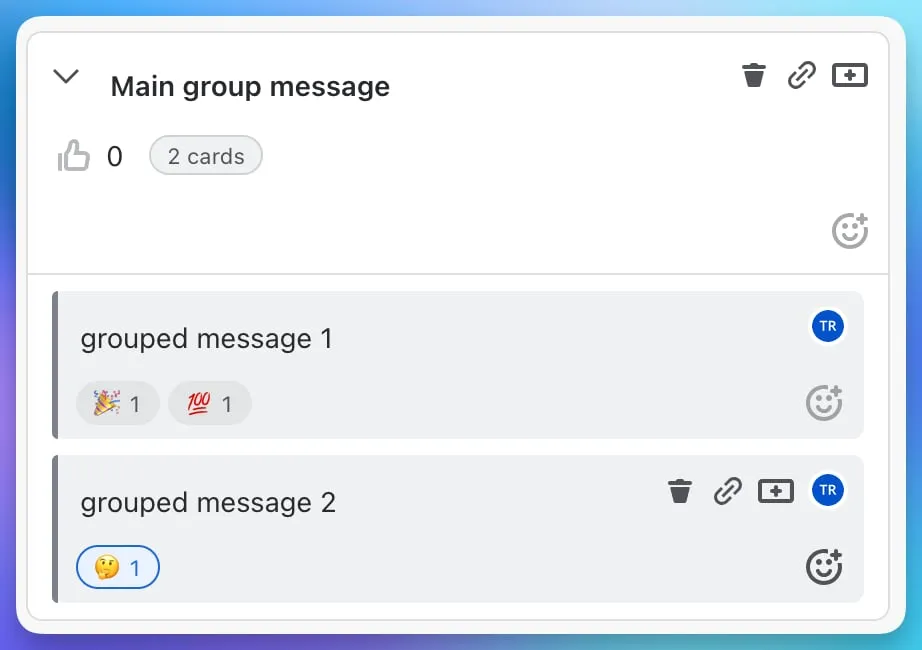
Merging two cards into one was destructive: the second card’s text and votes were folded into the first and could not be recovered. Groups fix that. Drop a card onto another and you get a group with its own title, votes and reactions, and both cards still inside it. Fold a group to keep the column short, collapse them all at once, drag a group as a single block, or drag a card back out.
From the board to the backlog in one pass
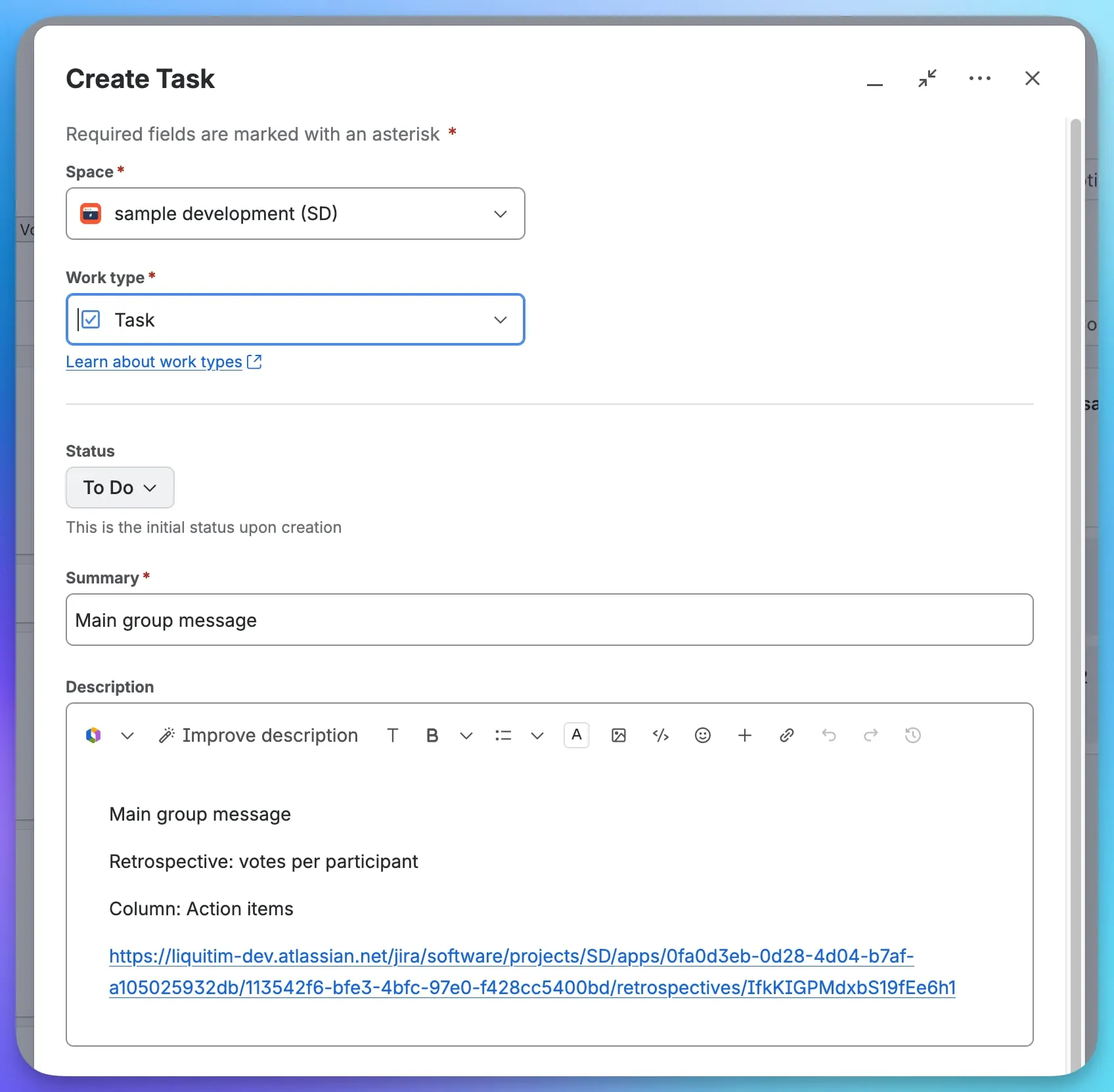
Mark one column as the action column and the board offers Create issues: one prefilled Jira dialog after another, for every card in the column that does not have an issue yet. Each issue’s summary is the card text and its description names the retrospective and column and links back to the board, so whoever picks it up later can see where it came from.
Cards can also link existing issues now, carry more than one, and unlink them.
A timer, and a better list
The board has a timer with presets from one minute up. It turns amber in the last minute and says “Time’s up”; it does not close anything, the facilitator still decides. The retrospectives list was rebuilt with search, sorting, and the template, status, creation date and linked issues of each board.
Planning Poker
Choose how the estimate is calculated
Until now the room proposed an average. You can now pick, per room, most voted card, average, median or highest voted card. Whatever the method, the result snaps to a card that exists in the deck, so a Fibonacci room never proposes a 6.
A consensus label on every reveal
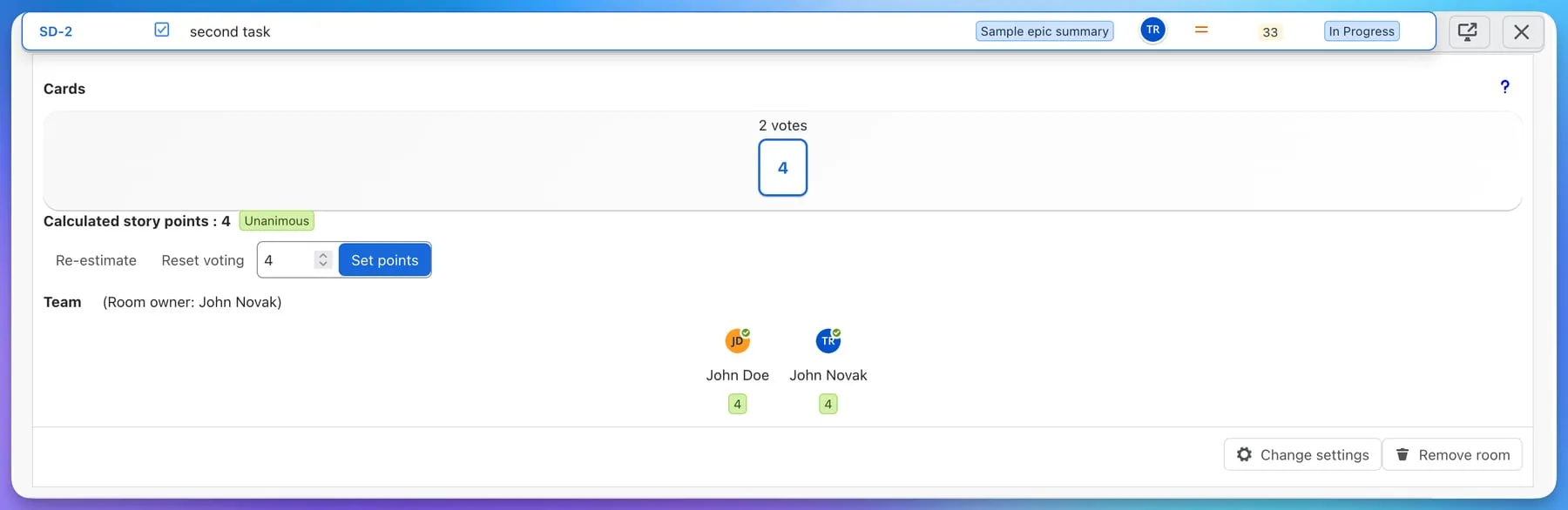
After the reveal the room labels the round Unanimous, Close or Split. It is a small thing, but it turns “should we talk about this one?” into a glance. Split means the team is estimating different assumptions, and that conversation is the whole reason to play Planning Poker.
Timer, Kanban and search
The same timer is available in the room. Refinements can now be built on Kanban boards, with the first column acting as the backlog. And the search box across refinements, sprints and the backlog tells you how many issues matched and lets you load more and keep searching.
Under the hood: Forge and dark mode
In August the app became a native Atlassian Forge app. For you that means an Agile Toolbox page in the project sidebar with Refinements and Retrospectives tabs, Start poker and Add to refinement on every issue, and an app that follows the Jira theme, light or dark. Data stays in the EU or US region your site is on, and uninstalling no longer deletes your history.
Where to go next
- The release notes list every change.
- Running a retrospective and Estimating an issue document the new features step by step.
- Agile Toolbox is free forever for teams of up to 10 users. Install it from the Atlassian Marketplace.